
Seamless Shipping
Fast, reliable delivery with Real-time tracking and updates



 Chinese Cigarette
 Beer
Beer
 Liquor
 Cigarette
 Heated Tobacco
 SP2S x Canyon
 Daytona E-Inhaler
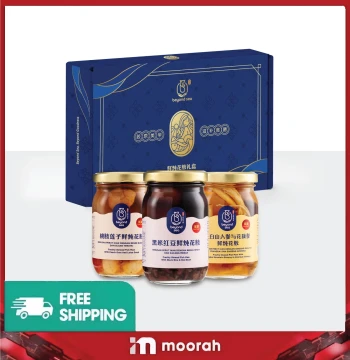 Dried Seafood (海味)
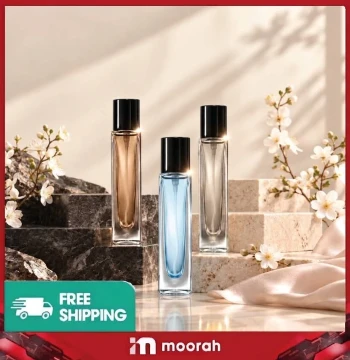 Personal Care
 E-Cigarette
 Health and Beauty
 T-Shirt
 Adult Toys
 Household
 Fishing



Mix your favorite Canyon products and enjoy special online discounts
View Collections
Moorah is an online shopping platform that brings a broad product collection, digital ordering, account access and referral opportunities together in one place. Customers can browse 15 main product categories, create an account, access Moorah on supported devices and complete eligible orders online. Users interested in referrals can also explore the Moorah Agent opportunity and learn how to develop a downline network.
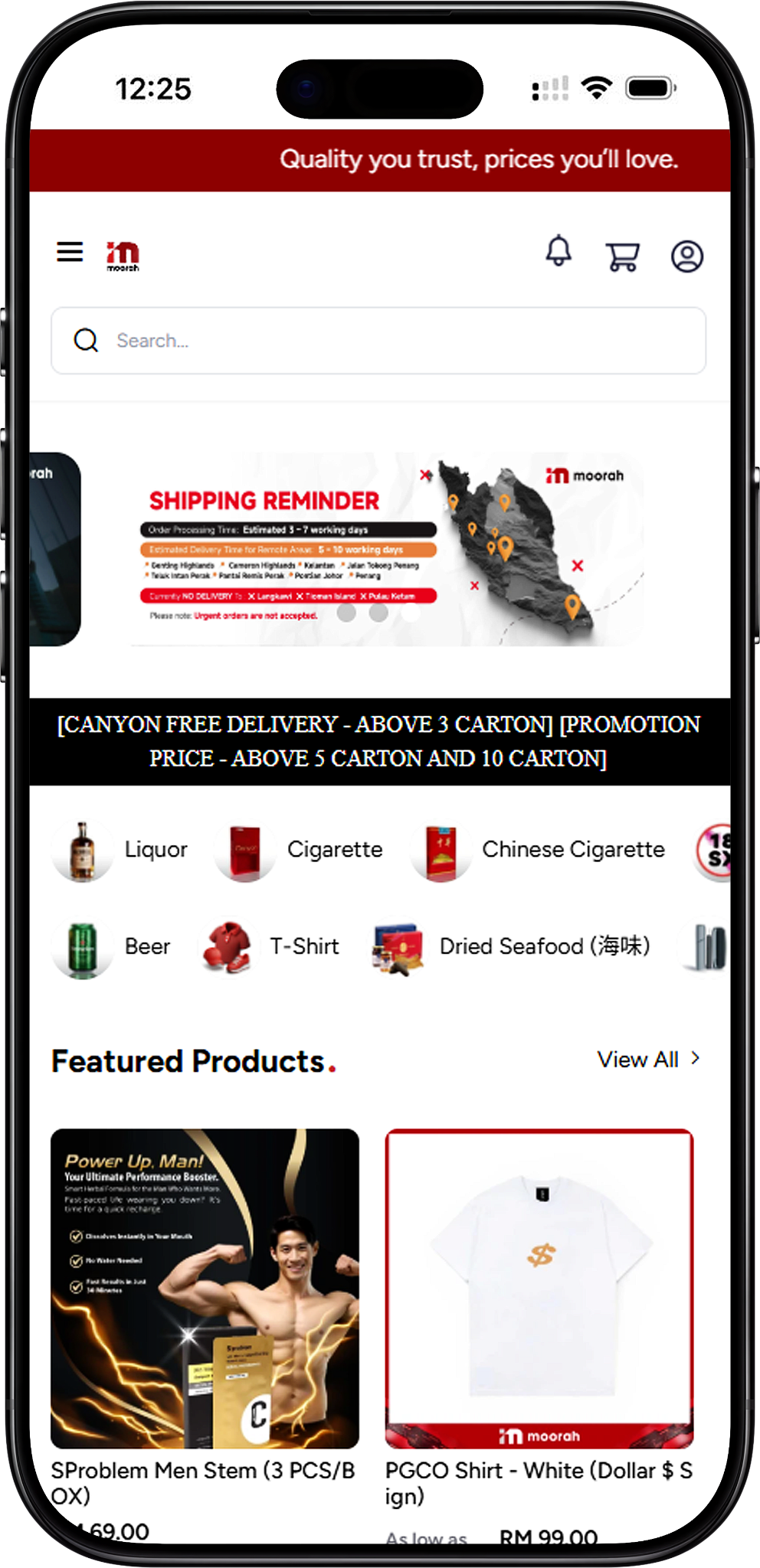
Welcome to Moorah, an online shopping platform where customers can discover products across multiple categories and manage their shopping journey online. From browsing available products and adding items to the Shopping Cart to reviewing checkout information and available payment methods, Moorah provides a structured way to shop while also offering account and referral-related services.
Moorah provides dedicated sections for products, account registration, login, downloads and Agent opportunities. Customers can explore individual product categories, review available selections and proceed through the online ordering process, while registered users can access their accounts through Moorah Login.
Moorah combines a multi-category online product catalogue with account services, digital ordering and referral opportunities. Its product collection covers everyday, lifestyle and specialised categories, giving customers dedicated pages for discovering available products while providing additional routes for users interested in Moorah referrals and Agent Accounts.
Moorah covers 15 main categories: Liquor, Cigarette, Chinese Cigarette, Adult Toys, Household, Fishing, Personal Care, Beer, T-Shirt, Dried Seafood, Heated Tobacco, Daytona E-Inhaler, SP2S x Canyon, Health and Beauty, and E-Cigarette. Dedicated category pages help customers explore the products available within each range.
New customers can complete Moorah Register using the required account information and phone verification, while existing users can access Moorah Login with their registered details. Customers can then browse available products, manage selected items in the Shopping Cart and proceed through the applicable checkout process.
Users interested in referrals can explore the Moorah Agent program in addition to online shopping. Interested users can contact official Moorah support to request an Agent Account and receive current guidance about referrals, promotion and developing a downline network.
Moorah brings product discovery, account access and online ordering together in one platform. Customers can move from browsing dedicated product categories to managing their Shopping Cart and checkout, while separate pages provide information about registration, login, downloads, policies and Agent opportunities.
With 15 main product categories, Moorah gives customers access to household and lifestyle products, fishing equipment, personal care, health and beauty selections, apparel, dried seafood, beverages and other specialised ranges without limiting the shopping experience to a single type of product.
Customers can select available products, add them to the Shopping Cart, review quantities and order totals, provide the required billing and shipping information, and proceed through the shipping and payment options displayed during checkout.
Moorah displays payment options including Online Banking, Referral Wallet and USDT through Ethereum or Tron. Available Online Banking options may include Malaysian banks and digital payment services such as Touch ’n Go eWallet, DuitNow, GrabPay, ShopeePay and Boost, subject to the options presented during checkout.
Users who want to participate beyond shopping can explore the Moorah Agent opportunity. Interested users can contact official support, request an Agent Account and receive guidance about the current referral process and developing a downline network.
Moorah is designed to make product discovery, account access and online ordering easier to manage from one platform. Customers can explore dedicated product categories, review available selections and move through a structured shopping process, while users interested in referrals can access additional Agent and network opportunities.
Dedicated Moorah product pages organise the available catalogue by category, helping customers move directly to the type of product they want to explore instead of searching through an unstructured collection.
Moorah supports a digital shopping journey from product selection to Shopping Cart and checkout. Customers can review selected items, quantities and the Cart Summary before entering the required billing and shipping information and choosing an available payment method.
Moorah provides access options for supported Android and iOS devices, while website shortcuts can also provide convenient browser access from phones, tablets and desktop computers. Users can review the dedicated Download page for the available access methods.
New users can create a Moorah account through the registration process, while existing customers can use Moorah Login with their registered phone number and password. Moorah also provides support channels for account, shopping and Agent-related enquiries.
Moorah users interested in referrals can contact the official support team to learn about Agent Accounts and downline opportunities. Agents can receive guidance on promoting their account and developing their referral network.
Moorah organises its online catalogue into 15 main product categories. Customers can visit the Moorah Products section to explore each category and review the individual products, formats and selections currently presented on the platform.
Explore wine, whisky, vodka, gin and other spirits, with available selections from ranges such as Vina Paul, Johnnie Walker, Absolut, Bombay Sapphire, Dewar’s and Ballantine.
Browse cigarette selections across brands including RE, Canyon, Tiara, Vson, Redwood, Pragon, Bosston and other available ranges, including standard, slim, menthol, kretek and other listed variants.
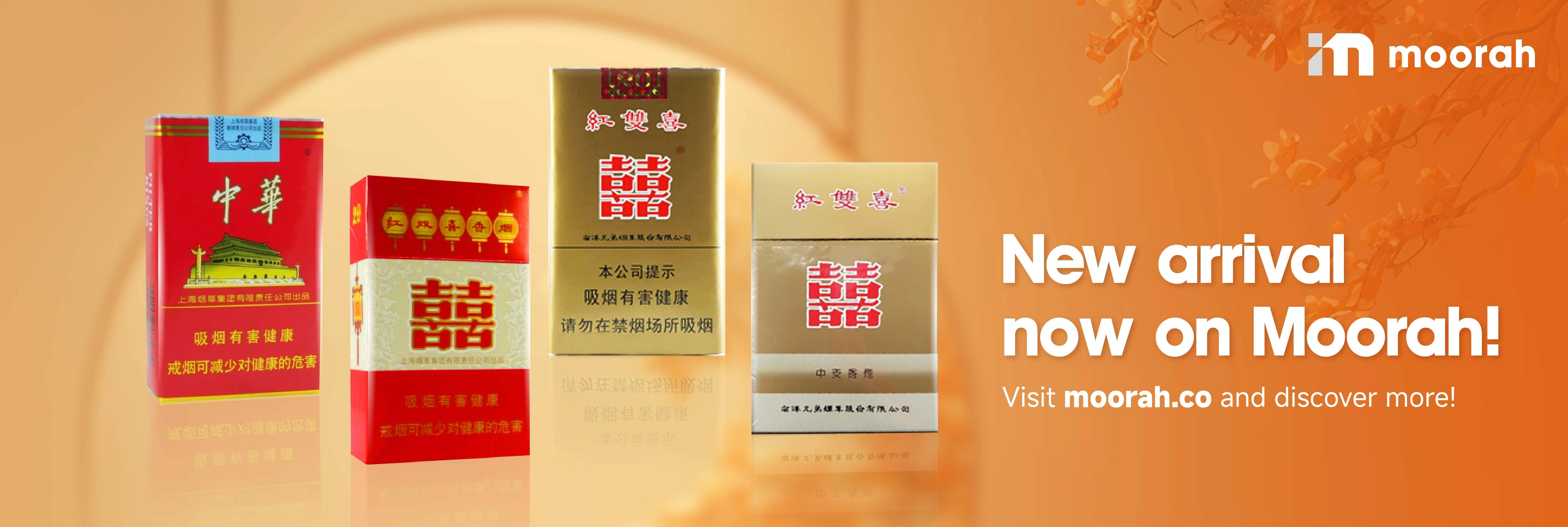
Explore Chinese Cigarette products covering international packaging, soft packs and slim selections, including available products from Nanyang Double Happiness, Shanghai Red Double Happiness, Peony Qingning, Phoenix and Zhonghua.
Browse intimate lifestyle products including sleeves, rose-inspired vibrators, wearable designs, simulators and other personal selections available through the dedicated Moorah category.
Explore household products including SAMURAI spray paint, clear coats, primers, paint remover, Aerogun, Headlamp Kit and Hero99 products for practical household and maintenance needs.
Browse fishing rods, reels and related equipment across selections such as Performance X, Toyomabass, Cross UL, Maguro, Surf Shooter and other available fishing ranges.
Explore Premium Pocket Perfume in six available scents, with customers able to choose four travel-friendly 10ml bottles for each set.
Browse beer selections from Tsingtao, Tiger, Carlsberg, Ishtar, Heineken and Guinness, including available multi-carton and mixed-carton selections.
Explore PGCO T-Shirts in beige, red, white and black, with Dollar Sign, Cat, Side Small Logo and other listed designs available across multiple sizes.
Browse fish maw and sea cucumber products, including freshly stewed fish maw selections and premium seafood gift sets in different formats.
Explore Heated Tobacco selections from Daytona, Mofee and Terea, with multiple variants presented within the available product ranges.
Browse Daytona E-Inhaler options including Cool Mint, Thai Herbal, Sprite, Pure Herbs and Nature Woods across available x2, x5 and selected x10 pack formats.
Explore the SP2S x Canyon range covering FLOW 5000, Nano X SP2S Pods and Galaxy 28K, including Galaxy Ice and Galaxy Classic selections.
Browse masks, skin care, hair care, aromatherapy, sun care and wellness selections from OMILLA, EmoEmo, LAROMA, BOUCLEME and other available ranges.
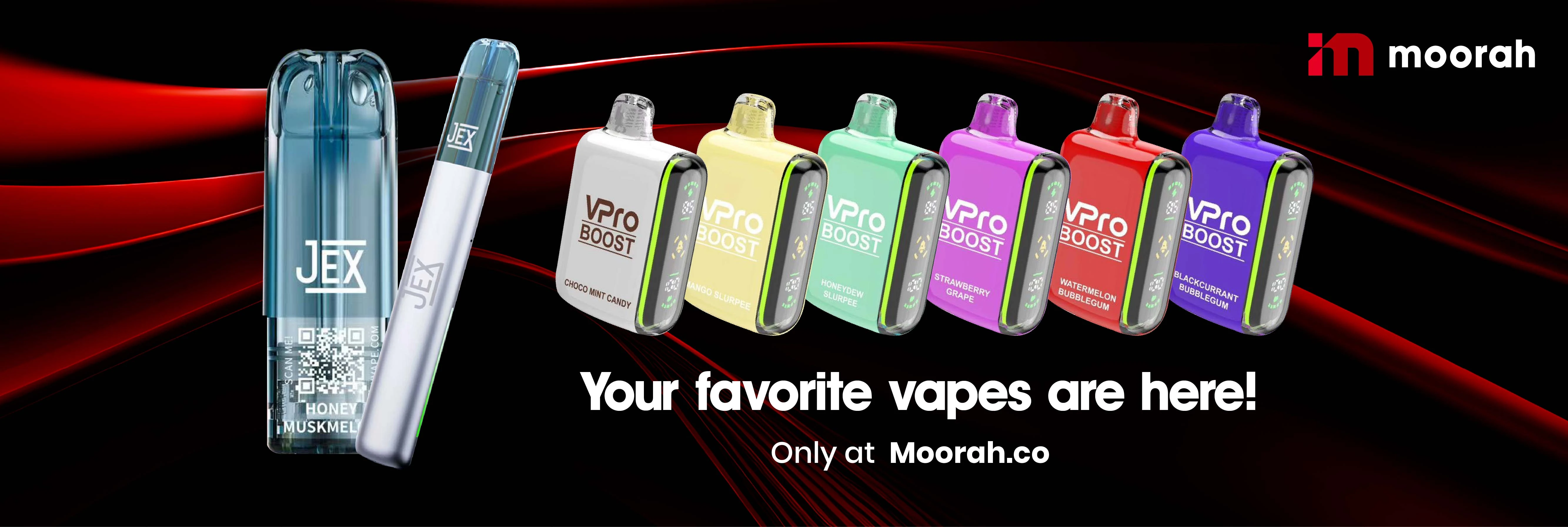
Explore vape pods, disposable products, starter packs and compatible devices across JEX, FOVS, SP2S, Nano X SP2S, SPTIME, Snowplus, VPro Boost, Galaxy and other listed ranges.
Moorah is an online shopping platform that combines a multi-category product catalogue with digital ordering, account access and referral opportunities. Customers can create an account, browse available products, add selected items to their Shopping Cart and proceed through checkout using the shipping and payment options displayed by the platform.
Moorah provides dedicated product pages that make it easier to browse available selections before ordering. The shopping process includes Cart review, billing and shipping details, applicable delivery information and payment selection before an order is placed.
Moorah also provides referral opportunities for users who want to participate beyond purchasing products. Interested users can contact Moorah support to request an Agent Account and obtain current guidance about referrals and developing a downline network.
Getting started with Moorah involves a few main actions depending on how you want to use the platform. New users can register an account, choose a convenient access method and explore the Moorah Agent opportunity if they are interested in developing a referral network.
Create a Moorah account by entering the required registration information and verifying your phone number through OTP. A Referral Code can also be entered in the dedicated field when one is available.
Visit the Moorah Download page to review the available Android and iOS options or use a supported website-shortcut method for convenient access from compatible mobile and desktop devices.
If you are interested in referrals, contact the official Moorah support team through WhatsApp or the available Contact Us option and request an Agent Account. Support can provide current guidance on the Agent process and developing a downline network.
Moorah Register allows new users to create an account by providing the required information and verifying their phone number. The registration form includes personal details and a dedicated Referral Code field for users who have a code available.
Start by entering your Nickname and selecting the applicable Country. Complete the other required information shown on the registration form, including Gender, Race, Age and Postcode.
Provide the phone number you want to use for your Moorah account and select Send OTP. Follow the displayed OTP verification process to verify the number before completing registration.
Enter a Referral Code in the dedicated field if you have one. The Referral Code field is available on the Moorah registration form but is not displayed as a required field.
Review the information entered in the registration form and select Register to submit it. Existing Moorah users can proceed to Sign In instead of creating another account.
Create your Moorah account to access the platform and begin exploring its online shopping services. Complete the required registration information, verify your phone number through OTP and enter a Referral Code if one is available to you.
Moorah provides access options for supported Android and iOS devices. Users can review the available Google Play or App Store option through the Moorah Download page, while supported devices can also use website shortcuts for convenient browser access.
Android users can review the available Google Play option or create a website shortcut through Chrome when browser-based access is preferred.
Visit the Moorah Download page using your supported Android device and review the available Android access option.
Select the available Google Play option and follow the instructions displayed for your supported Android device.
For browser-based access, open the supported website in Chrome, open the browser menu and select Add to Home Screen where available. Depending on the Chrome version and device, Install app may appear instead.
iPhone and iPad users can review the available App Store option through the Moorah Download page or create a website shortcut through Safari.
Visit the Moorah Download page from your supported iOS device and locate the available iOS access option.
Select the available App Store option and follow the instructions displayed for your supported Apple device.
For browser-based access, open the supported website in Safari, select the Share option and choose Add to Home Screen. Confirm the shortcut name to add it to the device Home Screen.
Choose a Moorah access method that suits your supported device. Visit the Download page to review the available Android and iOS options or use an available website shortcut for convenient access to Moorah.
Moorah provides an Agent opportunity for users interested in developing a referral and downline network. The process begins by contacting official Moorah support and requesting an Agent Account. Support can provide current guidance on the Agent process, account promotion and referral participation.
Visit the Moorah website and use the available WhatsApp or Contact Us option to connect with the support team. Inform the team that you are interested in becoming a Moorah Agent.
Ask the support team to create or provide guidance for an Agent Account. Moorah support can explain the current requirements and provide the relevant information needed to get started.
After receiving the applicable Agent guidance, users can begin introducing their account to interested users and developing a downline network. Referral and commission participation remains subject to Moorah’s current terms and applicable requirements.
Moorah is an online shopping platform that combines multiple product categories with account access, digital ordering, payment options and referral opportunities. Customers can browse products, add selected items to their Shopping Cart and complete eligible orders through the platform’s checkout process.
Moorah covers Liquor, Cigarette, Chinese Cigarette, Adult Toys, Household, Fishing, Personal Care, Beer, T-Shirt, Dried Seafood, Heated Tobacco, Daytona E-Inhaler, SP2S x Canyon, Health and Beauty, and E-Cigarette categories. Product selections and availability can vary.
Visit the Moorah Register page, enter the required account and personal information, provide your phone number and complete OTP verification. You can also enter a Referral Code in the dedicated field if one is available before submitting the registration form.
Moorah provides access options for supported Android and iOS devices. Users can review the available Google Play and App Store routes through the Download page, while supported devices can also use available website shortcut methods for convenient browser access.
Contact the official Moorah support team through WhatsApp or the available Contact Us option and request an Agent Account. The support team can provide current guidance on the Agent process, referrals, account promotion and developing a downline network.
Create your Moorah account to explore available product categories, shop online and discover the referral and Agent opportunities provided through the platform.
Fast, reliable delivery with Real-time tracking and updates

Earn bonuses for every friend you invite

Win Jackpot by purchasing products

Get assistance on 8AM - 8PM daily